
To install and activate a WPGlobus add-on/extension please follow the steps below.
1. Download the plugin file
- Login to your WPGlobus Account Dashboard.
- Choose the
Downloadssection on the left sidebar. - Click the
Downloadlink in the table and save the ZIP file.
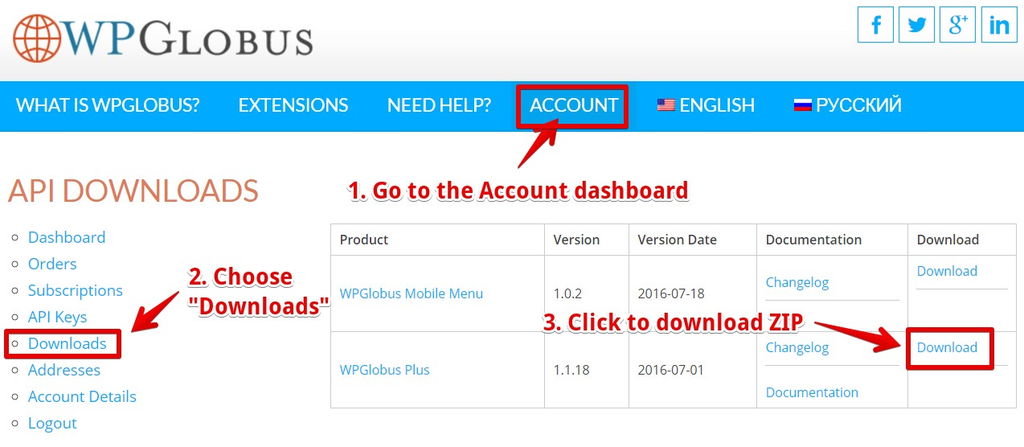
Download WPGlobus Premium Add-on
2. Install and activate the plugin
- Go to
WordPress Admin > Plugins > Add New. - Click
Upload Pluginat the top. - Click
Choose Fileand select the .zip file you downloaded in the first step. - Click
Install Now. - Activate the plugin.
3. Get the License Keys
- Visit your WPGlobus Account Dashboard again.
- Choose the
API Keyssection at the left. - Copy the content of two cells in the table: the
API Keyand theAPI Email.
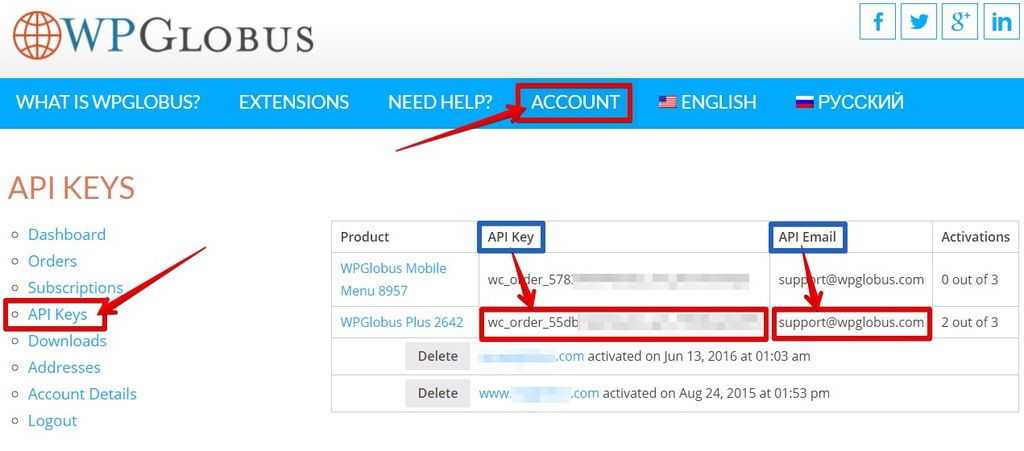
View License Keys
4. Activate the License
- Go to the
Pluginssection in the WordPress admin. - Under the plugin that you activated in the second step, you will see the
License activation form. - Enter the
KeyandEmailpair from the Step 3 and press theActivatebutton.
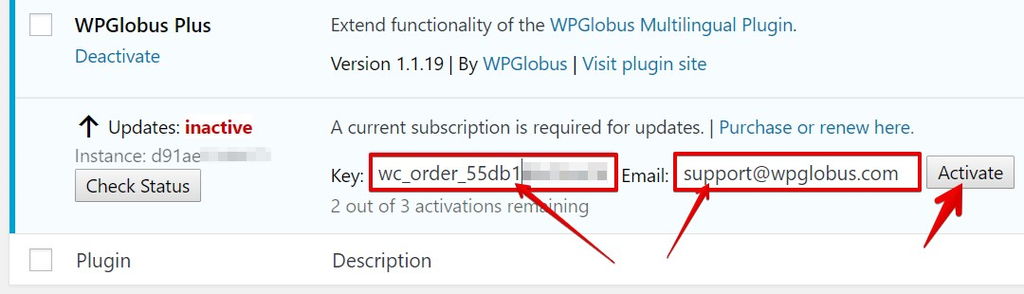
License Activation Form
- You should now see the label changed to
Updates: active. - As long as your subscription is current, you will receive the update notifications automatically and will be able to upgrade your plugin with one click.
Please do not hesitate to contact us if you have questions.
Thank you!
The WPGlobus Team